How to Mount Starlink Gen 3: Full Installation Guide
By InstallPros Team · July 15, 2026 · 3 min read
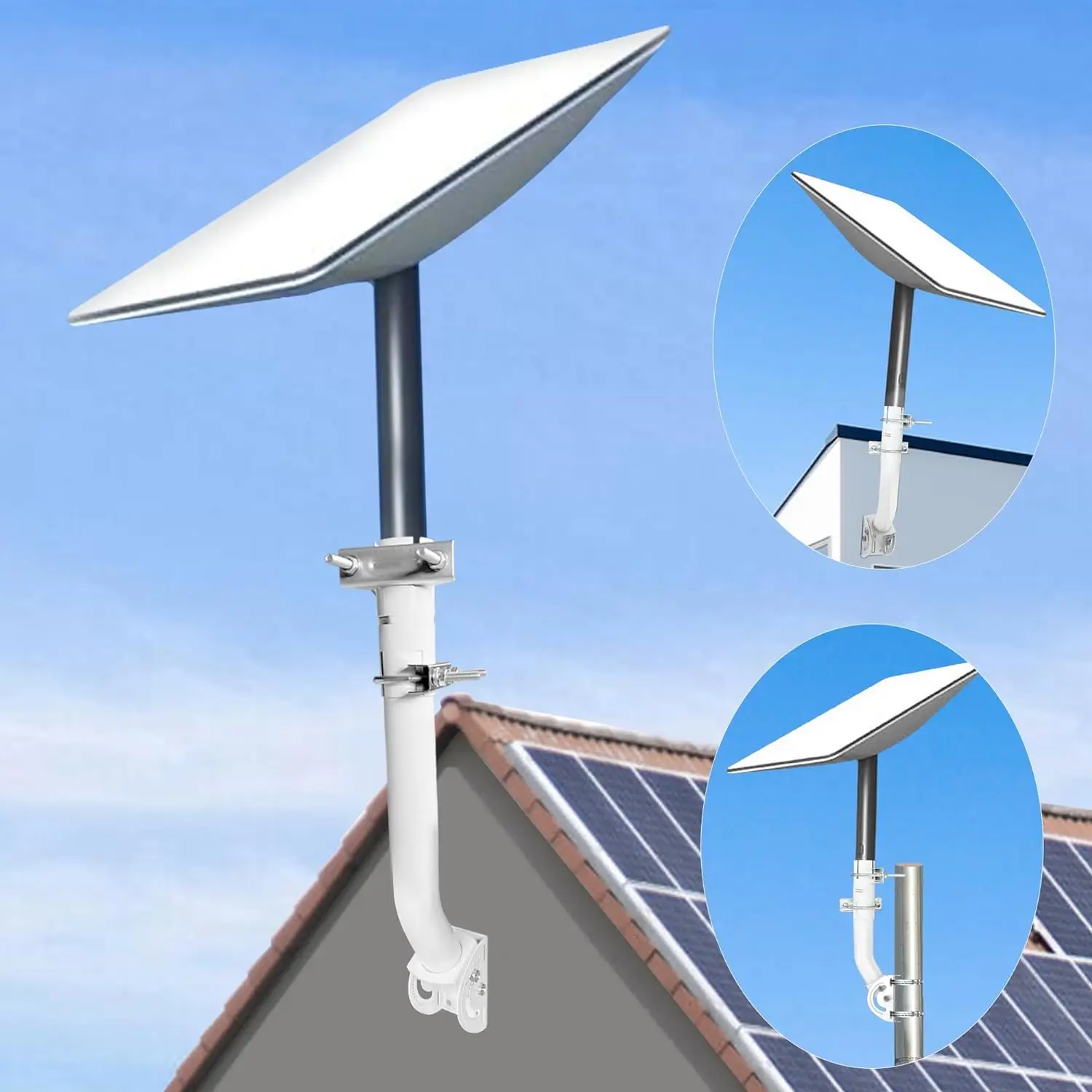
The Starlink Gen 3 dish (Standard Actuated) uses a new kickstand-integrated mount. It fits the Starlink Pipe Adapter and Pivot Mount, but does NOT fit older Gen 2 rectangular-dish brackets. For roof or wall mounting, use the official Gen 3-compatible pivot mount or pipe adapter.
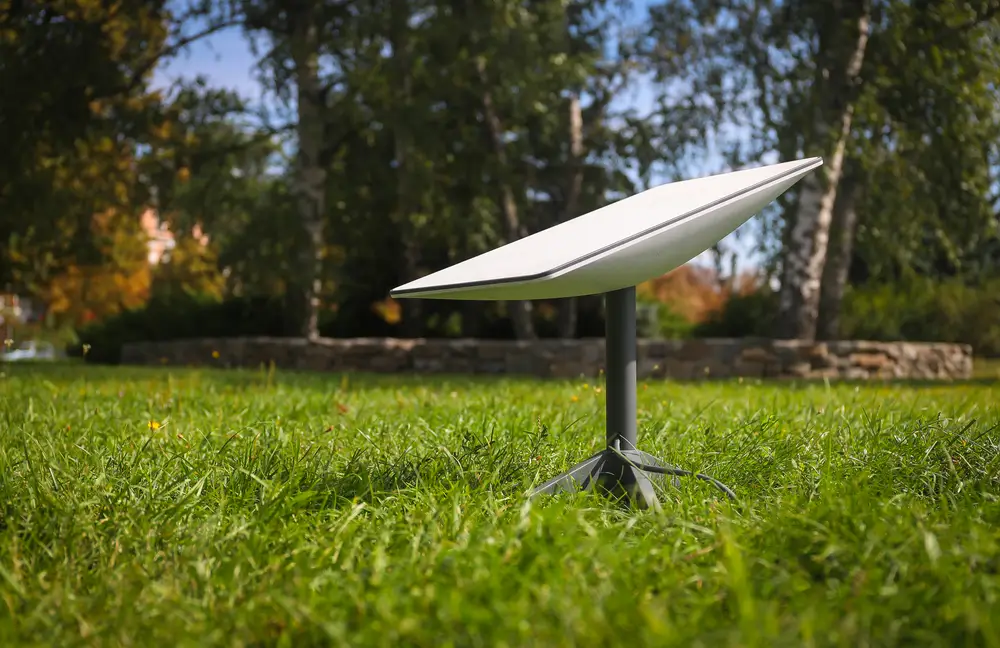
What's Different About Gen 3
Gen 3 (also called Standard Actuated) has a built-in kickstand base with a 40mm pipe socket that self-locks. Older Gen 2 rectangular-dish mounts do not fit — the dish will not seat properly and may be damaged.
Compatible Mounts
Starlink Pipe Adapter ($22): fits directly, works with any 1.5''–2'' pole. Starlink Pivot Mount ($40): for pitched roofs. Long Wall Mount ($99): for gable walls. Non-Penetrating Base ($99+): for flat roofs. Third-party mounts must specifically list Gen 3 / Standard Actuated compatibility.Pole Mounting Gen 3
Sink a 1.5''–2'' pole in concrete. Slide Starlink Pipe Adapter over the top. Set the dish onto the adapter until it clicks into the socket. No tools needed for the final connection.
Roof Mounting Gen 3
Attach Pivot Mount to rafters through flashing (see our roof mount guide). Attach the included pipe stub. Set the dish onto the pipe stub — it self-locks.
Frequently Asked Questions
Will my Gen 2 mount work with Gen 3?
No. The mounting interface changed. Buy a Gen 3-compatible mount.
Can Gen 3 use the older ground base?
It comes with its own kickstand — you don't need the old base.
Is Gen 3 heavier?
Slightly, at ~13 lbs. All Gen 3-rated mounts are engineered for the extra weight.
Does Gen 3 need more clearance?
Same 100° sky view. Actuator moves the dish for self-alignment — leave 6'' clearance around it.
Should I upgrade my mount if I get Gen 3?
Yes if you're on an older Gen 2 bracket — they don't fit safely.
Ready to install? InstallPros offers professional Starlink installation nationwide. Get your instant quote →