Enhancing Smart Home and Home Automation with Starlink
April 11, 2024 · 3 min read
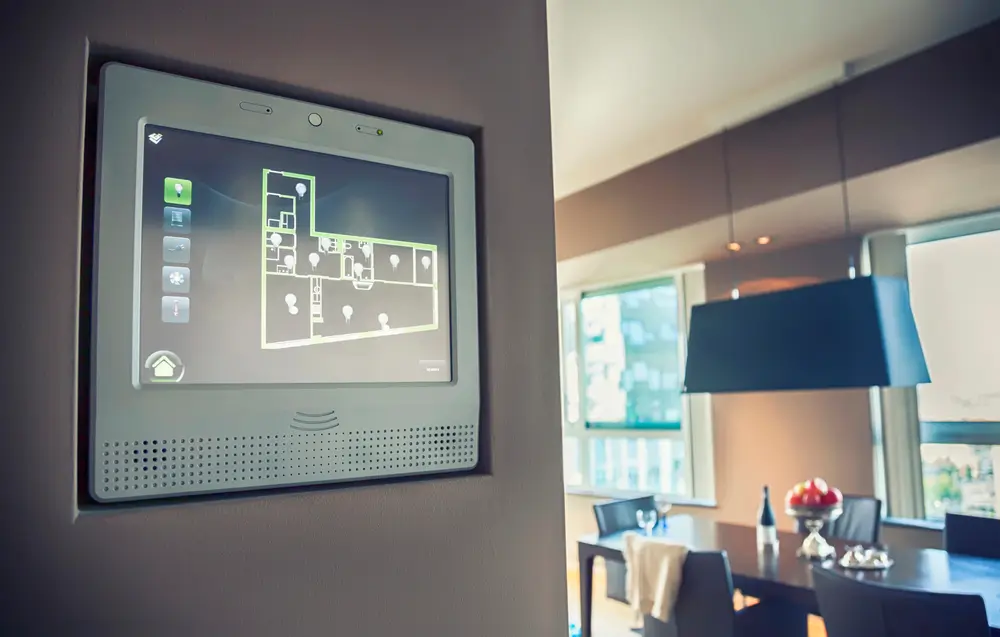
Enhancing Smart Home and Home Automation with Starlink
The emergence of Starlink, SpaceX’s satellite internet service, promises to revolutionize the way we connect and manage our homes. With its high-speed, low-latency capabilities, Starlink is not just a solution for remote internet access; it's a gateway to advanced smart home and home automation technologies, especially in areas traditionally underserved by broadband services. This guide walks through smart home ecosystems, technical requirements and compatibility, a step-by-step professional setup approach, and best practices to get the most from Starlink in any automated home. For complete turnkey installs, InstallPros offers expert Starlink and smart home integration nationwide.
Smart Home Ecosystems: Components and How They Interact
A modern smart home is an ecosystem made up of several layers, each with distinct networking and integration needs:
- Edge devices: Sensors, cameras, smart locks, thermostats, lighting, smart appliances, and voice assistants. These are the endpoints that sense and act.
- Local hubs and bridges: Zigbee, Z-Wave, and Thread hubs (e.g., SmartThings, Home Assistant hubs, Apple HomePod, or dedicated controllers) that translate device protocols and enable local automation.
- Home network infrastructure: Routers, mesh Wi‑Fi nodes, switches, and PoE injectors that provide connectivity and power to devices across the property.
- Cloud services and integrations: Vendor cloud platforms (e.g., Ring, Arlo, Nest), voice assistants (Alexa, Google Assistant, Siri), and third‑party automation services which often require persistent internet access.
- Management & security: Firewalls, VPNs, VLANs, and network monitoring that protect devices and maintain performance.
Starlink provides the wide-area internet link that connects this local ecosystem to cloud services, remote monitoring, and mobile access. Understanding each layer helps ensure a resilient, secure installation that supports automation, video, voice, and remote control without interruption.
Starlink Bandwidth and Latency Requirements for Smart Homes
When evaluating Starlink for a smart home, the two key metrics are bandwidth (download/upload throughput) and latency (round-trip time). Practical considerations:
- Typical residential speeds: Most residential Starlink customers experience between 50–250 Mbps download and varied upload speeds depending on plan and location. Starlink Business / Premium tiers offer higher and more consistent throughput.
- Latency: Starlink latency generally ranges from 20–60 ms for residential LEO service, which is low enough for real-time voice, video conferencing, and responsive smart device control. Business or enterprise solutions can deliver lower jitter and more consistent latency in many cases.
- Per-device needs: - Smart cameras: 2–10 Mbps each for 1080p–4K continuous upload; - Voice assistants and NVR signaling: minimal bandwidth but sensitive to latency; - Streaming and gaming: 5–25 Mbps per stream; - Cloud backups: variable and bursty—consider scheduling off-peak backups.
- Network contention: In congested areas or at peak times, speeds may vary. Starlink can deprioritize traffic in extremely congested cells, so mission-critical systems may benefit from Business plans or redundant connectivity options.
For most homes with multiple cameras, smart thermostats, streaming and regular cloud interactions, a standard Starlink plan delivers ample capacity. Larger estates, commercial sites, or properties with heavy concurrent cloud video usage should consider higher-tier plans or additional WAN links.
Compatibility Notes: What Works and What to Watch For
Starlink is broadly compatible with popular smart home platforms, but there are important compatibility and configuration considerations:
- Voice & cloud services: Works with Amazon Alexa, Google Assistant, and Apple HomeKit devices that rely on the internet. Local HomeKit devices and Thread/Zigbee/Z-Wave devices that use local hubs will continue to function even if internet is temporarily unavailable.
- Hubs & protocols: Zigbee, Z-Wave and Thread require local hubs/bridges—Starlink only provides the WAN. Plan for local controllers for immediate automation responsiveness and to minimize cloud reliance.
- Router configuration: Starlink supports a Bypass Mode (disable Starlink router functions) so you can use a professional-grade third-party router. If you require advanced VLANs, static routing, or third‑party firewall features, deploy your own router in bypass mode.
- IP addressing and remote access: Static/public IP addresses are not standard on residential plans. For remote access to home servers or NVRs, use a secure VPN, reverse proxy, or consider Business-class Starlink or third-party services for fixed IPs and consistent inbound access.
- Power & redundancy: Starlink equipment needs power; a UPS for the dish and routers is recommended if continuous connectivity is required during short outages. For mission-critical systems, consider cellular or secondary ISP failover.
Step-by-Step Professional Setup Guide
Below is a concise, professional-grade workflow that InstallPros follows when installing Starlink for a smart home. This ensures optimal signal, network performance, and secure integration with home automation systems.
- 1. Site assessment and design: Survey the property to identify the ideal dish location with a clear line of sight to the sky, determine cable routes, proposed router and mesh node locations, and identify power sources and grounding points. Assess RF obstructions and potential interference from trees or buildings.
- 2. Equipment selection: Choose the correct Starlink kit for the property (residential, RV/portable, or Business) and decide on complementary networking gear: enterprise-grade router, managed switches, PoE injectors for cameras, mesh access points, and UPS units.
- 3. Mounting and grounding: Professionally mount the dish using a roof mount, pole mount, or tripod as appropriate. Install proper grounding and lightning protection per local code. Ensure secure mechanical fastening and weatherproof cable entry points.
- 4. Cable runs and power: Run Starlink-provided cable or approved low-voltage cable through conduit to the equipment room. Install surge protectors and UPS power for the dish, router, and core smart home components.
- 5. Network architecture and router configuration: Configure the primary router (or Starlink router in standard mode) with appropriate SSIDs, WPA3 security if available, VLAN segmentation for IoT devices, and Quality of Service (QoS) rules to prioritize security cameras and voice devices. Implement static DHCP leases for cameras and hubs, and enable logging and monitoring tools.
- 6. Mesh and edge device placement: Place mesh nodes or access points for full coverage, ideally with Ethernet backhaul to the main switch. Position cameras, sensors, and smart devices, configure PoE channels for cameras, and validate signal strength and bandwidth at each endpoint.
- 7. Integration and automation testing: Connect hubs (Z-Wave/Zigbee/Thread), register cloud accounts, integrate voice assistants, and test all automations and scenarios (e.g., door lock automation, presence-based climate control, security event workflows). Verify local automations continue to run if the WAN is down.
- 8. Security hardening: Change default passwords, isolate IoT on a separate VLAN, disable unnecessary UPnP, and set up a VPN for secure remote access. Provide owner training on password management and routine maintenance.
- 9. Final validation and documentation: Run throughput and latency tests, document network topology, IP assignments, and provide a turn-key handover package that includes user credentials, recommended maintenance, and emergency contact information.
Optimization Tips for Smart Home Performance on Starlink
- Use VLANs: Separate IoT devices onto their own VLAN to limit lateral movement and to apply traffic policies.
- Prioritize critical traffic: Configure QoS for security camera uplinks and home security systems to prevent buffering during peak usage.
- Employ local automation fallback: Keep critical automations on local controllers so they continue to run during brief WAN interruptions.
- Monitor usage: Track camera usage, cloud backups, and streaming schedules to avoid simultaneous high-bandwidth events; schedule backups off-peak if possible.
- Plan for redundancy: For enterprise-grade or mission-critical homes, add cellular failover or a secondary ISP for seamless continuity.
Why Choose InstallPros?
InstallPros is the #1 Starlink installer in the USA, with deep experience across residential, enterprise, fleet, and remote site installations. We combine certified electricians, professional network engineers, and smart home integrators to deliver a complete solution:
- Residential installations tailored for whole-home automation, complete with mesh Wi‑Fi design, VLAN segmentation, and camera optimization.
- Enterprise deployments including high-availability Starlink links, managed routers, and SLAs for business-critical applications.
- Fleet and on-the-move solutions for RVs, marine vessels, and mobile command centers, ensuring reliable connectivity in transit and at anchor.
- Remote site and rural deployments with site surveys, pole/roof mounting, and power backup solutions to maintain uptime in off-grid environments.
- Same-week scheduling is available for many markets—get fast, professional service without the long wait.
InstallPros provides turnkey installation, full documentation, and post-install support so homeowners and businesses can focus on their smart home experiences rather than troubleshooting network issues. Contact InstallPros for a free consultation and site assessment to see how Starlink can unlock the full potential of your smart home.
FAQ
Can Starlink support multiple smart home cameras and continuous video streaming?
Yes. Starlink typically delivers enough upload bandwidth to support multiple cameras streaming to the cloud, but the exact number depends on camera resolution, compression, and the Starlink plan. For example, H.264 1080p cameras often require 2–5 Mbps each, while 4K streams can require 10 Mbps or more. InstallPros will analyze camera counts and recommend the appropriate Starlink tier, local NVR configuration, and QoS rules to ensure reliable video uploads.
Is Starlink compatible with HomeKit, Alexa, Google Home, and local hubs?
Starlink works with cloud-based services like Alexa, Google Home, and HomeKit for remote voice and cloud integrations. Local hubs for Zigbee, Z-Wave, and Thread (e.g., SmartThings, Hubitat, Home Assistant, or Apple HomePod) operate on your LAN and are fully compatible—Starlink provides the WAN link but local communications remain local, ensuring reliable automation even if the internet connection is temporarily interrupted.
Can I use my own router and mesh Wi‑Fi with Starlink?
Yes. Starlink supports a Bypass Mode that disables its internal router so you can deploy your own professional router and firewall. This is recommended for advanced network setups requiring VLANs, custom DNS, VPNs, or enterprise-grade routing. InstallPros configures and tests third-party routers and mesh systems to ensure optimal coverage and secure segmentation of IoT devices.
What happens during a power outage—will my smart home still work?
If power to the Starlink dish, router, or local devices is lost, internet-dependent features will be unavailable. Local automations that run on on-premise controllers will typically continue to function. For critical systems (security, access control, VoIP), InstallPros recommends UPS backup for networking equipment and key devices, or redundant cellular failover to maintain connectivity during extended outages.
How do you secure a Starlink-connected smart home?
Security includes network segmentation (VLANs), strong WPA3 Wi‑Fi encryption where available, unique device credentials, disabling UPnP, using VPNs for remote access, and keeping firmware up to date. InstallPros performs a security audit during installation and implements best practices tailored to the customer’s needs, balancing convenience and protection.
If you’re ready to upgrade your smart home with professional Starlink integration, contact InstallPros today for a free consultation and same-week scheduling where available. Our team will design a high-performance, secure, and future-ready smart home network that leverages Starlink to its fullest potential.