Revolutionizing Lawn Care: Introducing the Skydrop Halo Smart Sprinkler System Controller
May 8, 2024 · 2 min read
Revolutionizing Lawn Care with the Skydrop Halo Smart Sprinkler System Controller
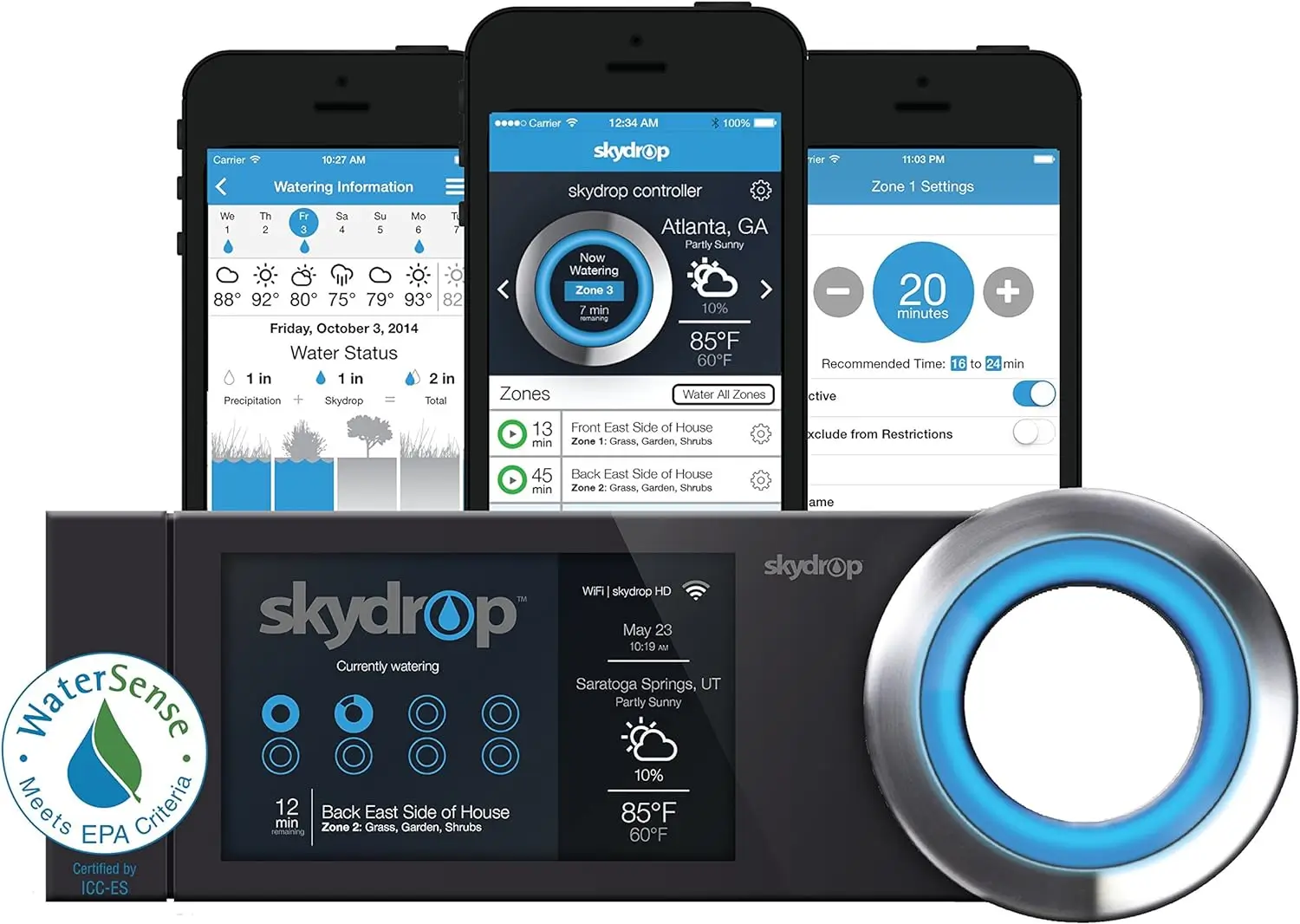
Efficient lawn care just got smarter with the Skydrop Halo Smart Sprinkler System Controller. This advanced system simplifies watering by using hyper-local weather data and integrates with smart home technologies to ensure your garden remains lush and healthy without wasting resources. Below is a comprehensive guide to setting up the Skydrop Halo, integrating it into a Starlink-powered smart home, and how InstallPros can professionally install and support your system.
The Science Behind Skydrop Halo's Efficiency
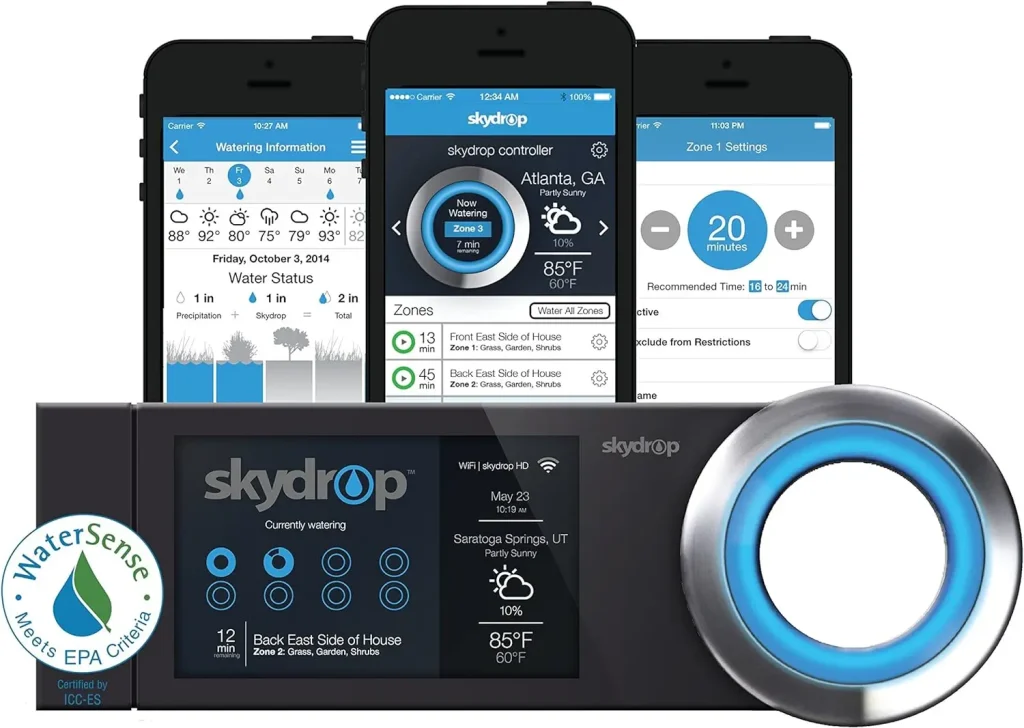
The Skydrop Halo utilizes data from over 100,000 local weather stations to assess real-time conditions like precipitation, humidity, temperature, wind, solar radiation, and specific yard factors such as slope and soil condition. This approach ensures that your garden receives the exact amount of water it needs at the right time, conserving water and saving money.
Smart Home Integration for Seamless Control
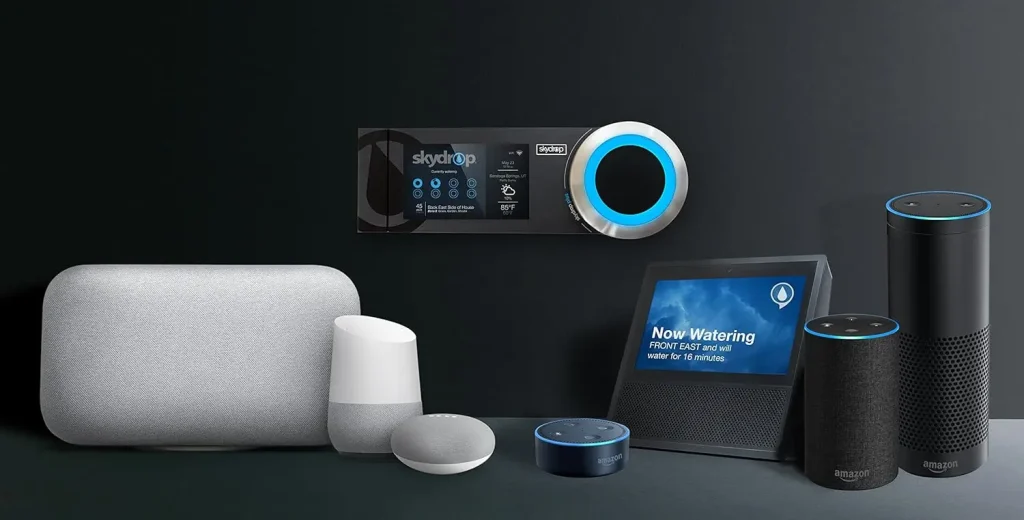
Skydrop Halo is compatible with leading smart home platforms, including Alexa, Google Home, Ecobee, and Nest. With voice command capabilities, you can start or adjust the watering schedule from anywhere in your home. Simply ask Alexa to activate Skydrop, and manage your garden's watering needs without lifting a finger.
Tailored Watering Across Multiple Zones
For those with diverse landscapes, Skydrop Halo manages up to 8 different watering zones independently. It caters to the unique watering needs of each zone, from shade-loving ferns to sun-thirsty succulents. For larger gardens, Skydrop offers expansion sets that extend control to up to 16 zones, ensuring every part of your landscape gets personalized care.
WaterSense Certification: Eco-Friendly and Cost-Effective
Skydrop Halo is recognized for its water efficiency, promising to save at least 20% more water compared to conventional systems. This efficiency can lead to significant savings on your water bill and may qualify you for municipal rebates.
Design and Connectivity
Sporting a sleek, gun-metal grey design with a stainless steel, LED-lit jog dial, the Skydrop Wi-Fi-Enabled Smart Controller complements any home exterior. Setup is straightforward: connect to your home Wi‑Fi and link to the Skydrop cloud service. This connection allows you to program, monitor, and control your sprinkler system from your smartphone or computer, giving you complete control over your lawn care, wherever you are.
Full Skydrop Halo Setup Guide
Below is a step-by-step walkthrough for a reliable Skydrop Halo installation. If you prefer professional installation, InstallPros provides full-service options with same-week scheduling.
Pre-install Checklist
- Tools & materials: screwdriver set, wire stripper/crimper, multimeter, drill (for mounting), wire nuts, low-voltage irrigation wire, conduit or protective tubing for wiring runs.
- Safety: turn off the irrigation transformer or main power to the controller before working on wires. Verify power is off with a multimeter.
- Verify components: Skydrop Halo controller, Wi‑Fi credentials, zone wiring, common wire, transformer (standard 24VAC irrigation transformer), and any remote sensors (rain sensor, flow meter).
- Plan mounting location: mount near the valve manifold or in the garage for indoor installations. If mounting outdoors, choose a sheltered area out of direct water spray and in range of your Wi‑Fi/Ethernet connection.
Step 1 — Mounting the Controller
- Mark and drill mounting holes and secure the controller to a flat surface using the provided screws.
- If mounting indoors, ensure the controller is close enough to the valve manifold or use a standard irrigation transformer and run wires through conduit to the valve box.
Step 2 — Wiring Zones and Common
- Label each zone wire at both ends for easy identification. Connect each zone wire to its corresponding zone terminal on the Skydrop Halo.
- Connect the common wire to the controller’s common terminal and to the common spool in the valve box. The common completes the 24VAC circuit for each valve.
- Verify continuity with a multimeter; typical valve coil resistance will be measurable when disconnected from the controller.
Step 3 — Power and Grounding
- Connect the irrigation transformer to the controller if it requires external transformer power. Many smart controllers use the transformer to power valves—confirm the requirements in the Skydrop manual.
- Restore power and observe the controller boot sequence; allow the Skydrop Halo to initialize.
Step 4 — Connect to Wi‑Fi or Ethernet
- Use the Skydrop mobile app to connect the controller to your network. Follow in-app prompts to name zones and configure site-specific settings like soil type, sprinkler heads, slope, and sun exposure.
- If you prefer wired reliability, connect the controller to your router/switch using Ethernet if the Halo model supports it. Ethernet reduces latency and improves reliability for cloud communication.
Step 5 — Configure Zones and Smart Schedules
- Use the Skydrop app to set plant types, zone lengths, and water budgets. Enable weather-based adjustments so the controller can shorten or skip runs when conditions warrant.
- Set seasonal adjustments, soak cycles, and any odd/even watering restrictions required by local ordinances.
Step 6 — Add Sensors and Flow Monitoring
- Install optional flow meters, rain sensors, or soil moisture sensors for precise control and leak detection. Connect these to the designated inputs on the controller and configure thresholds in the app.
Troubleshooting Tips
- If a zone doesn’t actuate, verify valve wiring and measure 24VAC at the valve when the zone is activated from the app.
- Intermittent connectivity often indicates weak Wi‑Fi—consider a mesh extender or Ethernet run.
- For false skips, confirm sensor wiring polarity and calibration in the app.
Enhancing Skydrop with Starlink Internet Service
Pairing the Skydrop Halo with Starlink’s satellite internet service can significantly enhance its performance and reliability. Starlink provides stable, low-latency internet that ensures Skydrop’s weather updates and cloud commands are timely and accurate. For homeowners in remote areas, where traditional broadband may be limited or inconsistent, Starlink makes a substantial difference.
Key Considerations for Starlink Integration
- Outbound Cloud Connectivity: Skydrop primarily requires outbound cloud access to receive weather updates and sync schedules. Starlink reliably supports outbound connections, so most Skydrop features work out-of-the-box.
- Local Network & Smart Home Hubs: If you use a local home hub (Home Assistant, SmartThings) that needs to discover devices on your LAN, configure Starlink in bypass mode or connect a local router behind Starlink using the Ethernet adapter or a user-configured network. This lets devices communicate locally without carrier-grade NAT limitations.
- Ethernet and Mesh Options: Use the Starlink Ethernet Adapter to connect Skydrop via wired Ethernet for robust performance. If running Ethernet to outdoors isn’t feasible, deploy a quality outdoor-rated mesh node or range extender to ensure strong Wi‑Fi at the controller location.
- Power Continuity: During outages, Starlink may remain available if its dish has power. Consider a small UPS for both the Starlink power supply and the Skydrop controller to maintain irrigation schedules through brief power interruptions.
- Remote Sites and Farms: For remote properties, Starlink’s global coverage and high throughput make it an ideal partner for Skydrop installations. InstallPros can design power and networking solutions suited to off-grid behavior, including solar + battery solutions or generator integrations.
Advanced Integration: Home Automation and Voice Control
Skydrop supports voice control and integration with major smart assistants. Here’s how to maximize the experience:
- Alexa & Google Home: Link the Skydrop skill in Alexa or connect Skydrop through Google Home to trigger zones or start/stop schedules by voice.
- Scenarios & Routines: Create home routines that include sprinkler control—pause irrigation when you enable "Away" mode for home occupancy scenarios or run a quick manual watering when the lawn needs extra attention.
- Local Automation Hubs: For advanced automations (e.g., integrate soil sensor data with lighting and irrigation), ensure Skydrop and your hub reside on the same LAN or use secure cloud-to-cloud integrations as supported by your hub.
Why Choose InstallPros?
InstallPros.io is the #1 Starlink installer in the USA, offering professional, end-to-end installations for residential, enterprise, fleet, and remote site deployments. Our certified technicians specialize in converged smart home and connectivity systems, combining irrigation expertise with Starlink networking to deliver reliable, optimized Skydrop Halo installations.
- Residential Installations: Turnkey Skydrop + Starlink installs with same-week scheduling, wireless and wired options, and warranty-backed workmanship.
- Enterprise & Commercial: Scalable solutions for HOAs, campuses, and commercial landscaping teams—centralized management, SLA options, and fleet network integration.
- Fleet & Remote Sites: We support agricultural sites, off-grid properties, and mobile fleets with tailored power, connectivity, and mounting solutions.
- Permit & Rebate Assistance: InstallPros handles local permitting, irrigation inspections, and helps you apply for municipal water-efficiency rebates often available for WaterSense systems like Skydrop Halo.
- Same-Week Scheduling: Need your system up quickly? We offer expedient scheduling and rapid deployment across many regions in the U.S.
Our technicians provide comprehensive handoff and training, ensuring you understand how to operate, adjust, and maintain your Skydrop Halo system and your Starlink connection. We also offer ongoing maintenance plans and seasonal tune-ups to keep your irrigation system running at peak efficiency.
Conclusion
The Skydrop Halo Smart Sprinkler System Controller redefines garden maintenance by combining advanced weather intelligence, precision watering across multiple zones, and seamless smart home integration. When enhanced by Starlink's reliable internet service and professionally installed by InstallPros, the combination delivers a robust, efficient, and low-maintenance irrigation solution that saves water, reduces costs, and preserves landscape health.
Frequently Asked Questions
Is Skydrop Halo compatible with Starlink out of the box?
Yes. Skydrop Halo works with Starlink as long as the Halo has outbound internet access to reach the Skydrop cloud. For advanced local LAN integrations or if you require port forwarding, you may need to configure Starlink in bypass mode or place a dedicated router behind the Starlink unit. InstallPros can evaluate your network needs and recommend the optimal configuration.
Can I install Skydrop Halo myself, or should I hire a professional?
DIY installation is possible for homeowners with basic electrical and irrigation knowledge. However, professional installation from InstallPros ensures correct wiring, optimal placement, sensor integration, and network configuration (especially in homes using Starlink or complex smart home hubs). Professionals also handle permits and can advise on municipal rebates.
How much water can I expect to save with Skydrop Halo?
Skydrop Halo is WaterSense certified and typically saves at least 20% compared to conventional timer systems. Actual savings depend on local climate, system layout, irrigation efficiency, and proper setup. Using flow sensors and soil moisture sensors improves savings by preventing overwatering and detecting leaks.
What happens during a power outage? Will my schedule be lost?
Skydrop Halo stores schedules in the cloud and local memory; short power outages typically do not result in lost schedules. However, if you rely on Starlink and local power fails, both the controller and Starlink may go offline. Consider a UPS for the Starlink power brick and the controller to maintain connectivity and keep schedules active during brief outages.
Does InstallPros offer maintenance and support after installation?
Yes. InstallPros provides maintenance plans, seasonal inspections, remote diagnostics, and on-site service requests. We offer support for firmware updates, network troubleshooting, and hardware replacement to ensure reliable long-term operation.