Starlink and Home Automation: Enhancing Home Security with Ring Alarm Contact Sensor (2nd Gen)
May 7, 2024 · 3 min read
Introduction
As connected homes become the norm, pairing reliable internet with robust security sensors is essential. The Ring Alarm Contact Sensor (2nd Gen) is a small but pivotal device that reports door and window open/close status to your Ring Alarm base station. When combined with Starlink satellite internet, homeowners in rural, suburban, and urban fringe locations can achieve near real-time alerts and dependable remote monitoring. This guide provides a full product review, Starlink bandwidth and latency requirements, a step-by-step setup guide, compatibility and troubleshooting notes, and a professional installation CTA from InstallPros.
Full Product Review: Ring Alarm Contact Sensor (2nd Gen)
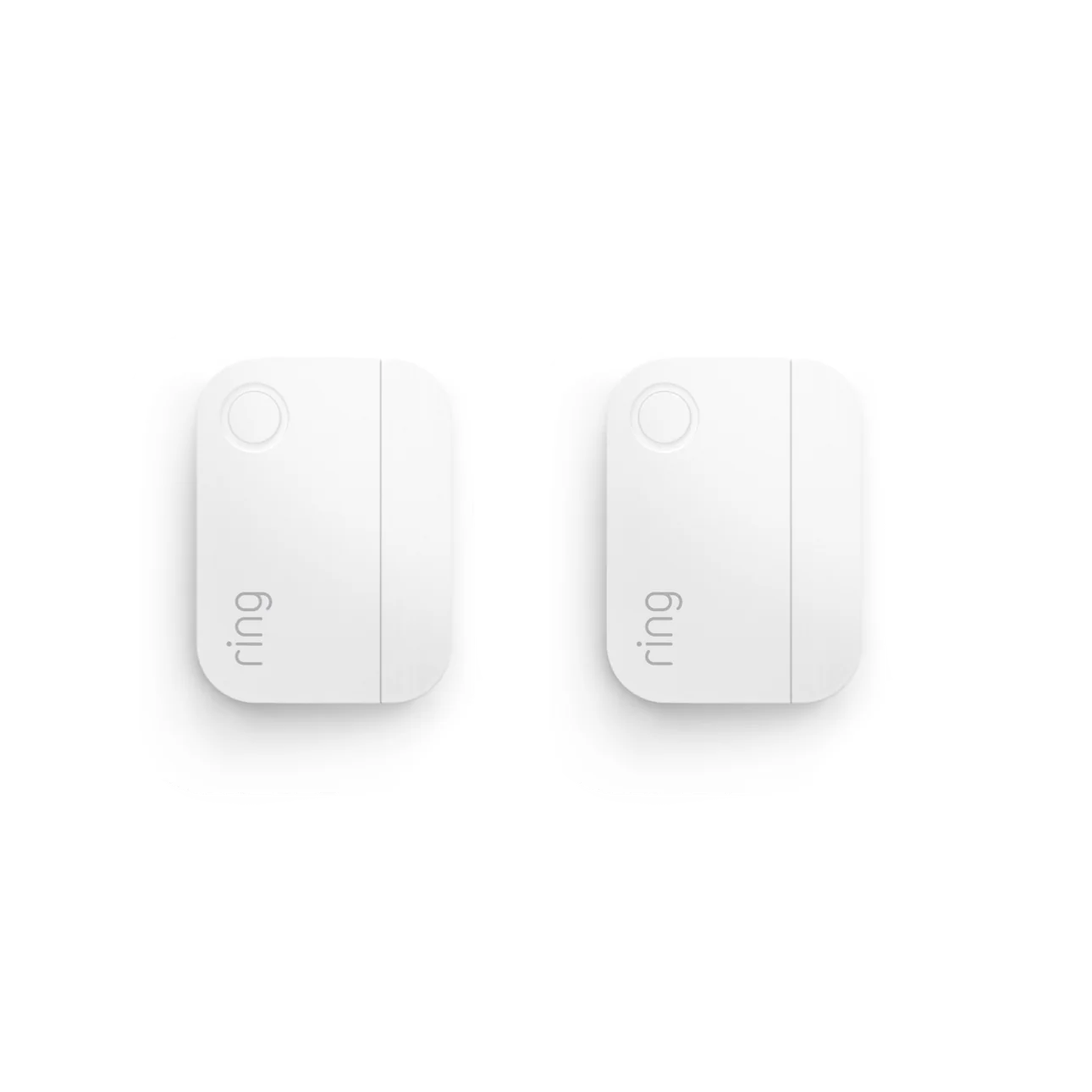
The Ring Alarm Contact Sensor (2nd Gen) is designed to be simple, discreet, and effective. It’s one of the most economical ways to secure entry points in a Ring Alarm system.
Design and Build
- Compact form factor: Slim housing and removable magnet make for concealment on most door and window frames, including narrow sashes and sliding doors.
- Materials: Durable plastic casing designed for indoor use; weatherproofing for outdoor use is limited—avoid direct exposure to heavy rain or extreme temperatures.
- Mounting: Includes adhesive tape and screw holes for secure mounting.
Performance and Features
- Communication: Pairs with the Ring Alarm base station using Z-Wave (per Ring specifications) for reliable low-power wireless signaling up to about 76 meters (250 feet) outdoors with clear line-of-sight—typical indoor range will be less, depending on walls and interference.
- Immediate alerts: Triggers mobile push notifications and optional audio alerts on the base station when opened while the system is armed.
- Tamper detection: If the sensor is removed or tampered with while armed, it can trigger the alarm.
- Battery: Powered by two CR2032 3V lithium button batteries. Typical battery life varies by usage and reporting frequency but commonly lasts 1–3 years. Low-battery notifications are sent through the Ring app.
- Magnet gap: Recommended maximum gap between sensor and magnet is 2.5 cm (about 1 inch) for reliable operation.
Pros and Cons
- Pros: Affordable, easy to install, discreet, long battery life, solid integration with the Ring ecosystem, tamper alert.
- Cons: Requires a Ring Alarm base station (cannot operate standalone for cloud notifications), limited outdoor durability, and limited native integration with non-Ring ecosystems (full ecosystem benefits work best within Ring/Amazon platforms).
Value and Pricing
At a typical price point of $20–$30 per sensor, the Ring Alarm Contact Sensor (2nd Gen) is cost-effective for filling multiple entry points. Consider group purchases for complete coverage (front/back doors, garage service door, sliding glass doors, and key windows).
How Starlink Enhances Ring Sensor Capabilities
Starlink brings high-throughput, low-latency satellite internet to locations that previously struggled with DSL or cellular-only options. That combination is particularly valuable for security devices that rely on timely cloud communication.
Reliable Connectivity
Ring sensors communicate locally with the Ring Alarm base station; the base station forwards alerts to Ring’s cloud for mobile notifications, remote control, and monitoring features. A dependable internet connection like Starlink ensures:
- Fast delivery of push notifications to your phone.
- Quick remote arming/disarming and history updates in the Ring app.
- Timely firmware updates and system diagnostics.
Bandwidth and Latency Requirements
Contact sensors themselves use negligible bandwidth. The important factors for a responsive Ring experience are the base station’s internet connection quality and the overall household network load.
- Bandwidth: Individual Ring Alarm sensors require almost no upstream bandwidth; however, the Ring base station and other cameras (if present) will consume more. We recommend a minimum of 2–5 Mbps upload available for reliable notification and cloud synchronization if you only have sensors. If you’re also running Ring cameras or other video streams, plan for 10–50 Mbps or more depending on camera count and resolution.
- Latency: Starlink typically offers 20–60 ms latency (varies by generation and location). For Ring notifications and routine cloud interactions, latency below 100 ms is more than adequate. Lower latency improves the perceived responsiveness of push notifications and live video streams.
- Jitter and packet loss: Consistent connectivity with low packet loss is more important than raw speed for security devices. If your Starlink connection experiences frequent dropouts, mobile notifications and remote functionality will be intermittent.
Network Considerations and Best Practices
- Prefer Ethernet for the base station: If your Starlink kit supports an Ethernet connection (or you use a compatible router), connect the Ring base station via Ethernet for maximum stability. If using Wi‑Fi, place the base station close to the router to avoid interference.
- Quality of Service (QoS): If your router supports it, prioritize traffic for the Ring base station and cameras to ensure notifications get through during bandwidth congestion.
- Backup connectivity: Consider cellular failover or a local cellular gateway for critical installations. While Starlink is highly reliable, InstallPros can configure 4G/5G secondary connectivity for mission-critical sites.
- Power redundancy: Use an uninterruptible power supply (UPS) for the Starlink terminal and the Ring base station to maintain security during brief power outages.
Step-by-Step Setup Guide: Ring Alarm Contact Sensor with Starlink
This walkthrough assumes you already have a Ring Alarm base station installed and an active Starlink internet connection. If not, InstallPros can handle both Starlink and Ring installation.
Before you start
- Ensure the Ring Alarm base station is online and connected to your Starlink network (via Ethernet or Wi-Fi).
- Have the Ring app and account credentials ready on your smartphone.
- Confirm you have the CR2032 batteries and the mounting hardware included with the sensor.
Installation steps
- Install batteries: Open the contact sensor, insert the two CR2032 batteries observing polarity, and close the housing. The LED should flash to indicate power.
- Place temporarily: Position the sensor and magnet on the door or window to test fit, ensuring the gap does not exceed 2.5 cm (1 inch).
- Mount the sensor: Use the included adhesive or screws to mount the main sensor body on the frame and the magnet on the moving part (door or sash). Keep alignment tight—misalignment causes false triggers.
- Add the device in the Ring app: Open Ring app → Menu → Devices → Add Device → choose “Alarm” → select “Sensor” → follow the in-app prompts to pair. The base station will detect the sensor via Z-Wave pairing.
- Name and assign: Name the sensor (e.g., “Front Door”) and assign it to the appropriate partition/room in the Ring app for clear notifications and automation rules.
- Test operation: Arm the system in Home or Away mode and open the door to verify the notification and/or local alarm behavior. Check for low latency of the mobile push notification.
- Fine-tune: Adjust placement if you experience intermittent readings. Verify that the base station remains connected to Starlink during testing, and monitor for any connectivity drops in the Ring app history.
Advanced setup tips
- Enable multi-factor authentication on your Ring account for additional security.
- Use Alexa routines to integrate contact sensor triggers with lights or cameras (Ring integrates natively with Amazon Alexa).
- For multiple sensors, map them in the app and label clearly so notifications are unambiguous.
Compatibility Notes and Integration
Understanding compatibility is key to a stable installation.
Ring ecosystem
The Ring Alarm Contact Sensor (2nd Gen) is designed to work within the Ring Alarm ecosystem and is compatible with Ring Alarm base stations (1st and 2nd generation). For the best user experience, keep the base station firmware and Ring app updated.
Third-party hubs and smart home platforms
While the sensor uses Z-Wave technology, Ring devices are primarily intended to pair with the Ring base station. Integration with third-party Z-Wave hubs can be limited or unsupported by Ring. If you require broad third-party automation (Home Assistant, SmartThings, Hubitat), consult InstallPros for a recommended configuration—sometimes a combination of Ring for security and a secondary smart hub for automation yields the best result.
Voice assistants and automations
Ring integrates well with Amazon Alexa for routines and notifications. Native Apple HomeKit support is limited for Ring devices; workarounds require third-party bridges and may not provide full feature parity.
Troubleshooting Common Issues
- Sensor not pairing: Ensure the base station is in pairing mode, the sensor batteries are installed correctly, and you’re within range. Reboot the base station if necessary.
- Intermittent alerts: Check battery level, magnet alignment, and radio interference. Move the base station or add a range extender if range is the issue.
- No remote notifications: Verify Starlink internet is online and the base station is connected. Confirm Ring app notifications are enabled on your phone and that Do Not Disturb is disabled if you’re not receiving alerts.
- Multiple devices causing congestion: Use router QoS and consider segmenting IoT devices on a separate SSID or VLAN to reduce interference with critical traffic.
Why Choose InstallPros?
InstallPros is the #1 Starlink installer in the USA with deep experience deploying satellite internet and smart home security systems. We specialize in full-service installations across residential, enterprise, fleet, and remote site environments. Our services include:
- Professional Starlink installation and optimization to ensure maximum throughput and minimal latency for your Ring Alarm and other smart devices.
- Complete Ring Alarm system setup—sensor placement, pairings, automations, and app configuration.
- Enterprise and fleet solutions for multi-site deployments, remote asset monitoring, and hardened connectivity plans.
- Remote site and off-grid installations with power redundancy, weatherized mounting, and cellular failover options.
- Same-week scheduling for most residential and small-business installs—get protected faster with certified technicians.
For reliable Starlink + Ring installations that are optimized for security and performance, contact InstallPros.io for a consultation and quote.
FAQ
Will the Ring Alarm Contact Sensor still trigger the alarm if my Starlink internet goes down?
Yes. The sensor communicates locally with the Ring Alarm base station, which will sound the local siren if the system is armed and a trigger occurs. However, remote push notifications, cloud monitoring, and remote disarming via the Ring app require an internet connection. For uninterrupted remote monitoring, InstallPros can configure backup cellular connectivity and UPS power.
How many sensors do I need to secure a typical home?
Coverage depends on the home layout. A typical 3-bedroom home often needs 6–10 contact sensors to cover main entry doors, garage service doors, and ground-floor windows. Conduct a walkthrough—InstallPros offers free site assessments to recommend an optimal sensor count and placement plan.
Does Starlink’s satellite connection cause delays that impact alarm notifications?
Starlink delivers low latency compared to traditional satellite services (often 20–60 ms). For Ring Alarm notifications and cloud syncing, this latency is more than adequate. The primary caveat is connection stability—if your Starlink link experiences frequent disconnects, notifications may be delayed. InstallPros can recommend redundancy to avoid this.
Can I use these sensors with a non-Ring Z-Wave hub?
While the sensor uses Z-Wave technology, Ring devices are optimized to pair with the Ring Alarm base station. Compatibility with third-party Z-Wave hubs can be limited and is not guaranteed. If you need multi-vendor integration, consult InstallPros for an architecture that supports both security integrity and broader smart home automation.
How long do the batteries last, and how will I know when to replace them?
Battery life varies with usage but typically ranges from 1 to 3 years. The Ring app provides low-battery notifications for each sensor, and scheduled maintenance checks during InstallPros service visits can include battery replacement to maintain full coverage.
Conclusion
Pairing the Ring Alarm Contact Sensor (2nd Gen) with Starlink creates a potent, practical security solution—especially where wired broadband is unavailable or unreliable. The sensor offers reliable local detection and when the Ring base station is connected to Starlink, homeowners benefit from near-real-time cloud notifications and remote management. For optimized deployments, redundancy planning, and professional installation, InstallPros provides certified Starlink and smart home integrations with same-week scheduling and expertise across residential, enterprise, fleet, and remote site installations.