Starlink and Home Automation: Optimizing Your Home Security with Amazon Ring Doorbell Pro 4 Wired
May 2, 2024 · 3 min read
Introduction: Starlink + Ring Doorbell Pro 4 Wired — A Modern Home Security Pairing
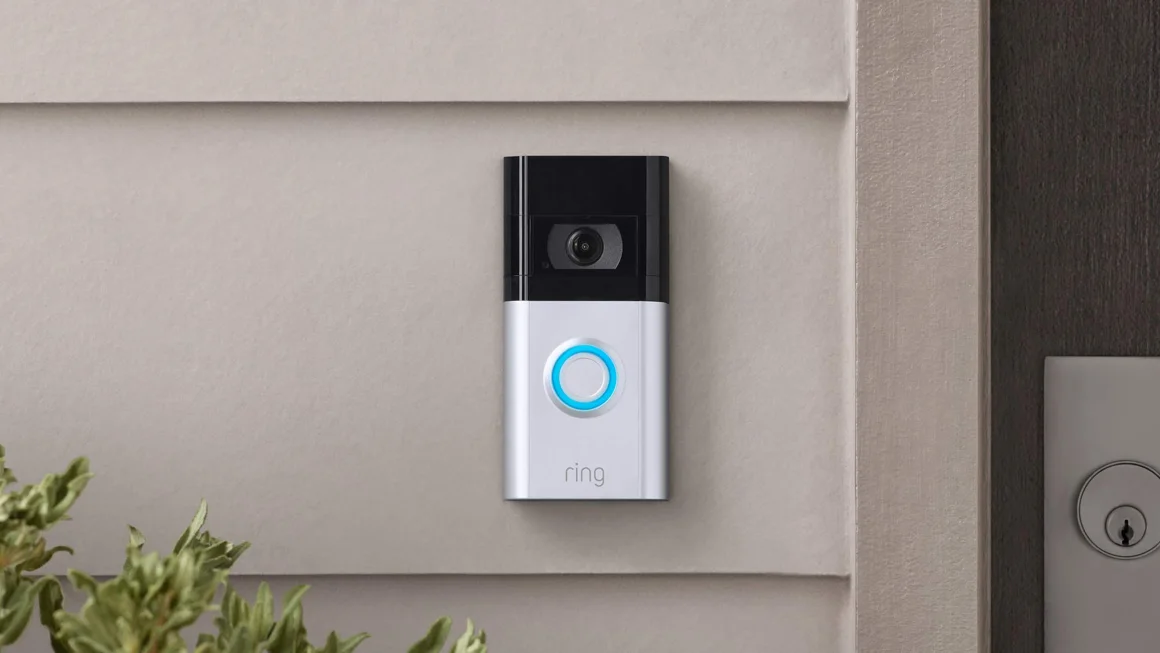
Combining satellite internet with edge smart-home devices is no longer experimental. The Amazon Ring Doorbell Pro 4 Wired offers advanced video, audio and motion features that demand consistent bandwidth and low latency to function optimally. When paired with Starlink satellite internet and a professionally configured local network, homeowners get a reliable, responsive front-door security solution that works whether you're onsite or across the globe. Below is an in-depth review of the Ring Pro 4, Starlink requirements, a step-by-step setup guide, compatibility notes, and how InstallPros can help with turnkey installations.
Full Product Review: Amazon Ring Doorbell Pro 4 Wired
Design and Build
The Ring Doorbell Pro 4 Wired has a compact, low-profile design that installs in place of traditional wired doorbells. It uses a replaceable battery pack for temporary power or can use existing 16–24 VAC doorbell wiring for constant power. The unit includes a range of mounting options and interchangeable faceplates to match most home exteriors.
Video and Audio Performance
Ring Pro 4 streams 1080p HD video with color pre-roll previews that capture events just before motion is fully triggered. Video clarity is excellent in daylight and improved at night with color modes and advanced HDR tuning. Two-way audio with noise cancellation ensures intelligible conversations with visitors.
Connectivity and Smart Features
Key connectivity highlights include dual-band Wi‑Fi (2.4 GHz and 5 GHz), on-device motion zones and privacy zones, and deep integration with Alexa. The device relies on Ring’s cloud services for notifications, live view, and storing video clips (Ring Protect subscription required for cloud recording). Motion detection is customizable for sensitivity, scheduling, and smart alerts.
Power and Installation Considerations
The flexibility of battery or wired power simplifies installation. If you choose the wired option, confirm your existing transformer meets Ring’s voltage requirements (typically 16–24VAC). Some chime units may need a Ring power kit or minor wiring adjustments. For safety, consult an electrician for transformer changes or if you’re unfamiliar with doorbell wiring.
Pros and Cons
- Pros: Excellent video quality, color pre-roll, dual-band Wi‑Fi, Alexa integration, flexible power options.
- Cons: Cloud recording requires subscription, no native Apple HomeKit support, some installations require electrical work.
Starlink Requirements: Bandwidth, Latency, and Real-World Performance
Typical Speeds and Latency
Starlink is a Low Earth Orbit (LEO) satellite internet service that delivers substantially better latency than traditional geostationary satellite links. Typical residential Starlink performance (as of 2024) is:
- Download: roughly 50–220 Mbps (varies by plan, region, and congestion)
- Upload: roughly 10–40 Mbps
- Latency: typically 20–50 ms
Starlink Business/High Performance plans offer higher speeds and capacity for enterprise and multi-device households.
What Ring Needs
The Amazon Ring Doorbell Pro 4 streams 1080p video using H.264 compression. For reliable performance:
- Allow at least 2–4 Mbps upload per 1080p device for steady live view and video upload.
- Factor in concurrent devices (other cameras, phones, streaming TVs). If you have multiple cameras or heavy household usage, plan for higher aggregate bandwidth.
- Latency under 50 ms is excellent for real-time notifications and two-way audio; Starlink typically meets this in most locations.
In practice, a single Ring Pro 4 will run well on Starlink residential service; households with many cameras or frequent high-resolution uploads should consider Starlink Business or adding local network QoS.
Network Stability and Weather Considerations
Starlink performance can vary with temporary obstructions, heavy rain or dense foliage. For mission-critical security, pair Starlink with a local network strategy that includes:
- Quality of Service (QoS) rules to prioritize Ring traffic.
- Uninterruptible Power Supply (UPS) for indoor networking gear so the doorbell and internet can remain available during short power dips.
- Local caching or secondary connectivity options (cellular backup) for high-availability setups.
Step-by-Step Setup Guide: Ring Pro 4 + Starlink
Pre-installation Checklist
- Verify Starlink dish has a clear sky view and is online.
- Ensure Starlink internet plan provides adequate bandwidth for your household.
- Confirm doorbell wiring voltage (if wiring) or have the Ring battery fully charged.
- Have a smartphone with the Ring app and an Amazon account ready.
Physical Installation
- Turn off power to your existing doorbell transformer at the breaker (if using wired power).
- Remove old doorbell and mount the Ring Pro 4 using the included angled mounts and screws. Use the level to ensure proper alignment.
- If wired, connect the doorbell wires to the Ring Pro 4 terminals. Install a Ring power kit if required by your chime (check Ring documentation).
- Restore power and verify the unit powers on (LED or ring in the app will indicate power).
Network and App Setup
- Open the Ring app and follow the device setup prompts. When asked for Wi‑Fi, choose the Starlink SSID (or your local router SSID if using a private router).
- For best streaming performance, use 5 GHz where possible if your router and doorbell are within range; otherwise use 2.4 GHz for better penetration.
- Enable motion zones, privacy zones, and adjust motion sensitivity to reduce false alerts.
- Enable Ring Protect if you want cloud recording. Turn on two-factor authentication (2FA) for account security.
Starlink-Specific Network Tips
- If you’re using a third-party router, enable Starlink’s bypass/bridge mode (via the Starlink app) to avoid double NAT and allow your router to manage DHCP and QoS.
- Configure QoS on your router to prioritize the Ring device by MAC address or IP to ensure reliable upload of video even during peak usage.
- Consider segmenting smart home devices on a guest or IoT VLAN to reduce security risks and improve network management.
Compatibility Notes and Integration Caveats
Smart Home Ecosystems
Ring integrates natively with Amazon Alexa for announcements, live views on Echo Show devices, and smart routines. It does not offer native Apple HomeKit support as of mid-2024; HomeKit users can use third-party bridges (Homebridge plugins) or use Alexa-enabled devices as intermediaries.
Third-Party Integrations and Local Protocols
Ring’s ecosystem is cloud-centric. There is no official RTSP stream for local NVR recording; some power users implement API-based or unofficial integrations with Home Assistant, but these may be subject to breaking changes and are not officially supported by Ring.
Power and Chime Compatibility
Wired installations usually require a compatible doorbell transformer (commonly 16–24 VAC). If you have an older transformer or an incompatible chime, a power kit or new transformer may be required. If you’re not comfortable with electrical work, hire a licensed electrician or professional installer.
Troubleshooting & Performance Optimization
- If live view lags or drops frames, check upload speed on Starlink and switch bands (5 GHz/2.4 GHz) to test stability.
- Relocate the Starlink router or add an access point closer to the doorbell for stronger Wi‑Fi signal.
- Ensure firmware is up to date for both Ring and your router. Ring periodically releases performance and feature updates.
- Limit concurrent high-bandwidth uploads (cloud backups, streaming) during critical monitoring times or schedule camera activity windows.
Why Choose InstallPros?
InstallPros.io is the #1 Starlink installer in the USA, delivering professional Starlink and smart-home integrations tailored to residential, enterprise, fleet, and remote-site needs. Our services include site surveys, optimized Starlink placement, ethernet backhaul, custom router configuration, CCTV and Ring camera installation, and end-to-end testing. We offer:
- Residential installs with same-week scheduling to get your Ring Pro 4 and Starlink online fast.
- Enterprise deployments with QoS, VLANs, and monitoring to support multiple cameras and critical comms.
- Fleet and mobile site integrations for vehicles and temporary sites.
- Remote site solutions including power management, UPS, and backup connectivity to ensure continuous monitoring.
InstallPros technicians are certified, insured, and experienced with Starlink's evolving hardware and networking features. We configure routers in bypass mode, implement QoS for cameras, and ensure Alexa/Ring integration is seamless. Schedule an assessment at InstallPros.io and get same-week professional installation and post-install support.
FAQ
Will Starlink support multiple Ring cameras and doorbells?
Yes. Starlink’s bandwidth is sufficient for multiple Ring devices in most residential setups. Each 1080p camera needs roughly 2–4 Mbps upload when actively streaming. For multiple concurrent streams or additional heavy internet usage, consider the Starlink Business plan or implement QoS to prioritize security camera traffic.
Do I need a Ring Protect subscription to use the Doorbell Pro 4?
No, the Ring Doorbell Pro 4 will function without a Ring Protect subscription—you’ll receive real-time alerts and can access live view. However, cloud recording, video history, and advanced doorbell features require a Ring Protect plan.
Can I use my existing router with Starlink?
Yes. Starlink supports external routers via Ethernet. Use Starlink’s bypass/bridge mode to avoid double NAT and let your router handle DHCP, QoS, and advanced routing features. InstallPros can configure your network for best performance.
What happens to my Ring doorbell during a power outage?
If your doorbell is wired to household power, a power outage will disable it unless you have a backup power source. For continuous operation, consider a UPS for your Starlink dish and home network, and a backup power solution for the doorbell transformer or the use of the device’s battery pack.
Is Ring compatible with Apple HomeKit?
Ring does not offer native HomeKit support as of mid-2024. There are unofficial workarounds, such as Homebridge plugins, but these are not officially supported by Ring. For native smart-home scenes and voice control, Alexa is the most integrated ecosystem for Ring devices.
Final Notes
Pairing the Amazon Ring Doorbell Pro 4 Wired with Starlink can deliver a responsive, high-quality home security experience even in locations without reliable terrestrial broadband. The key to success is proper network configuration: ensure Starlink provides adequate bandwidth, configure your local router for QoS and stability, and consider professional installation for optimally placed equipment and reliable power. For homeowners and businesses seeking a turnkey solution, InstallPros.io offers expert Starlink and Ring installations with same-week scheduling and full post-install support.