Starlink and Home Automation: Secure Your Home with Schlage Connect™ Smart Deadbolt
May 2, 2024 · 3 min read
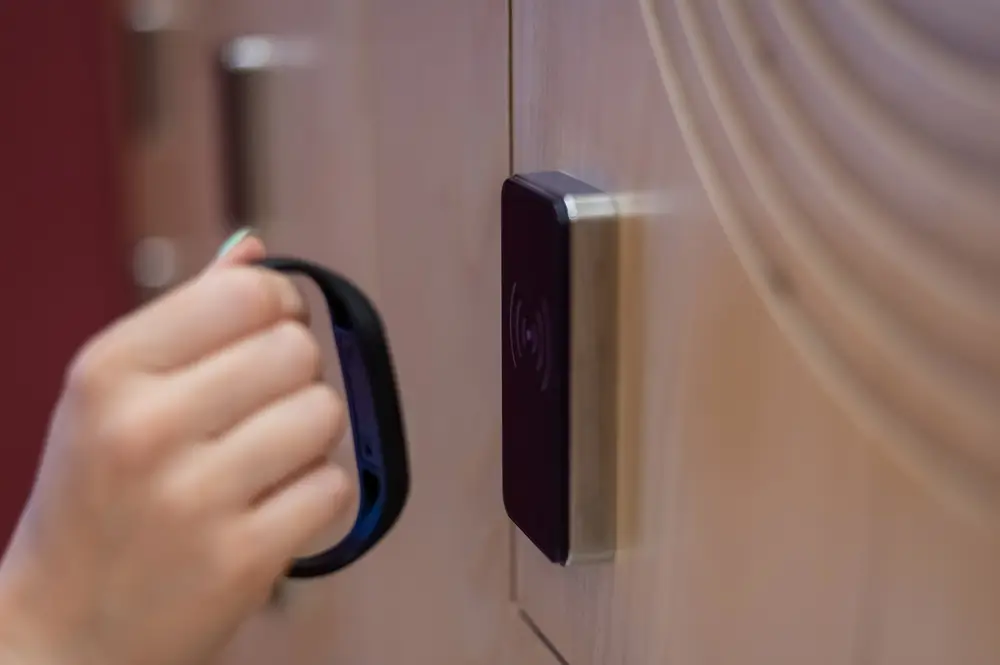
As smart home ecosystems expand, combining a proven smart lock with reliable internet connectivity is essential for uninterrupted access control and peace of mind. The Schlage Connect™ Smart Deadbolt (Z-Wave Plus) is a trusted, security-focused lock, and when paired with Starlink’s high-performance satellite internet service it creates a resilient solution for homes in suburban, rural, and off-grid locations. This guide provides an in-depth product review, explains Starlink bandwidth and latency considerations for smart locks, offers a step-by-step setup guide, covers compatibility notes, and answers common questions — plus a clear path to professional installation through InstallPros.io.
Schlage Connect™ Smart Deadbolt: Full Product Review
Core features and hardware
The Schlage Connect Smart Deadbolt is built around Z-Wave Plus S2 security and designed for reliability and robust physical security. Key specs and hardware highlights include:
- Lock type: Single-cylinder deadbolt with touchscreen or keypad options depending on model.
- User codes: Supports up to 30 unique access codes for family, guests, and service providers.
- Power: Typically runs on 4 AA batteries with an average battery life of 6–12 months depending on usage and environmental conditions.
- Security certification: Built to industry standards (BHMA Grade 1 on many models) and includes Z-Wave S2 encryption for secure radio communications.
- Physical construction: Heavy-duty deadbolt and reinforced strike plate compatibility for solid door installations.
- Optional alarm technology: Some Schlage models include built-in alarm functionality to deter forced entry and alert homeowners locally.
Performance and user experience
Installers and homeowners consistently report that Schlage Connect feels solid and responsive. The keypad is tactile, programming is straightforward, and physical operation (manual key or thumbturn) remains secure even when electronics fail. The S2 security framework encrypts Z-Wave commands, reducing the risk of replay or interception attacks.
Smart features and integration
Schlage Connect integrates with a wide range of smart home hubs and platforms. Typical user scenarios include:
- Remote locking/unlocking via a Z-Wave hub and its cloud service (e.g., SmartThings, Hubitat).
- Voice control when connected through a compatible hub (Alexa and some Google Assistant setups).
- Automations — lock doors automatically on schedules, when arming security systems, or when leaving geofenced zones.
Value and pricing
Schlage Connect models generally fall in the $200–$250 range depending on finish and retailer. For homeowners looking for a balance of physical security, smart features, and compatibility, the Schlage Connect is among the most cost-effective Grade 1 smart deadbolts.
How Starlink Enhances Schlage Connect Functionality
Dependable connectivity for remote access
Starlink provides high-bandwidth, low-latency internet service to locations that previously relied on unreliable DSL or cellular connections. For the Schlage Connect, Starlink’s consistent uplink and downlink mean:
- Reliable delivery of lock/unlock commands routed through a cloud-enabled hub.
- Timely notifications and status updates delivered to your phone.
- Better performance for voice assistants, video doorbells, and integrated automations that rely on internet connectivity.
Bandwidth and latency: What the lock needs
Smart locks themselves use negligible bandwidth (typically a few kilobits per second during events). The critical network attributes are latency and reliability rather than raw throughput:
- Bandwidth: Schlage Connect’s control messages are tiny. Any Starlink plan that provides consistent connectivity (including residential plans starting around $110/month) provides more than enough bandwidth.
- Latency: Starlink residential latency usually ranges from ~20–60 ms under normal conditions, which is well within acceptable limits for command-and-control responsiveness for locks and voice assistants.
- Outages and redundancy: While Starlink is highly reliable, all internet services can experience brief outages. You should architect your smart lock to continue functioning locally (Z-Wave mesh and a local hub) if internet connectivity is lost.
Best practices when using Starlink with smart home gear
- Use a local Z-Wave hub (SmartThings, Hubitat, Vera, or Home Assistant with an appropriate Z-Wave controller) so essential lock operations remain functional if your internet is down.
- If you require remote access even when the hub is behind CGNAT (Carrier-Grade NAT), rely on cloud services provided by the hub vendor rather than trying to configure direct port forwarding on Starlink.
- For installations in remote locations, pair Starlink with a UPS (battery backup) to keep the modem/router and hub online during grid outages.
Step-by-Step Setup Guide: Schlage Connect + Starlink
Before you start
- Confirm you have the Schlage Connect kit for your door handing and thickness.
- Have 4 fresh AA batteries and your existing deadbolt hardware removed.
- Ensure Starlink is installed, online, and you can access the router’s local network from a smartphone or laptop.
- Choose a Z-Wave hub. Recommended options: SmartThings, Hubitat Elevation, Home Assistant (with Z-Wave JS and a compatible USB/Z-Wave stick), Vera, or Ring (for compatible models).
Physical installation (30–60 minutes)
- Remove the existing deadbolt and strike plate. Test the new deadbolt for alignment and fit before tightening.
- Install the Schlage exterior assembly and interior mounting plate per manufacturer instructions. Ensure the thumbturn and keypad are seated correctly.
- Insert batteries and verify the lock powers on. Program a temporary master code per the included QR code or manual.
- Test manual locking and unlocking with the keypad and physical key.
Z-Wave pairing and hub configuration
- Put your Z-Wave hub into inclusion mode (follow the hub’s instructions).
- On the Schlage lock, follow the pairing procedure (often pressing the Schlage button or entering a programming code). The lock should appear in the hub’s device list.
- Update the device firmware via the hub if an update is available.
- Enable S2 security/encryption if prompted to secure communications.
Smart home integrations and automations
- Connect the hub to your voice assistant account (Alexa or Google) if desired. Note: Direct lock control via Google may require additional verification due to security restrictions.
- Create automations: auto-lock after a delay, lock when arming the alarm system, or unlock for scheduled guest access. Test each automation thoroughly.
- Set up notifications on your phone for lock events (codes used, lock/unlock actions, battery low alerts).
Testing and final checks
- Perform local tests with the hub offline to confirm the lock still operates locally.
- Test remote functions using the hub’s cloud service while connected via Starlink network from a remote cellular connection if possible.
- Document master and user codes securely and schedule battery replacement reminders.
Compatibility Notes and Integration Options
Recommended hubs and platforms
Schlage Connect is broadly compatible with Z-Wave hubs. Popular choices include:
- SmartThings: Wide consumer support, Alexa integrations, straightforward setup.
- Hubitat: Local-first automation for increased reliability and privacy.
- Home Assistant: Highly customizable, excellent for power users who want local control (requires Z-Wave controller hardware).
- Ring Alarm Pro: Supports Z-Wave devices in Ring’s ecosystem for combined security + smart home control.
Voice assistants
Alexa works well when the lock is connected through a compatible hub. Google Assistant can support locks in some setups, but Google enforces strong account verification and sometimes limits locking commands for security reasons. Always enable multi-factor authentication on accounts tied to home security devices.
Edge cases and limitations
- Starlink’s residential gateway may use CGNAT which prevents inbound direct connections. Rely on vendor cloud services for remote access rather than trying to open ports.
- If you require absolute local-only control without any cloud dependence, choose a local-first hub like Hubitat or Home Assistant and configure automations locally.
- Confirm your door prep and strike plate are properly reinforced — even the best smart lock needs good mechanical installation.
Why Choose InstallPros?
InstallPros.io is the #1 Starlink installer in the USA, offering industry-leading installation and configuration for residential, enterprise, fleet, and remote site deployments. Our experienced technicians are certified in Starlink hardware and smart home integration, providing end-to-end service from site survey through final testing. Key advantages:
- Residential installations: Seamless Starlink setup, professional Schlage lock mounting, hub configuration, voice assistant integration, and post-install support.
- Enterprise deployments: Scalable designs for multi-site rollouts, VLAN and network segmentation, and centralized device management.
- Fleet and mobile sites: On-the-road or mobile office setups optimized for Starlink connectivity and local device continuity.
- Remote site expertise: Off-grid power planning, UPS integration, and hardened installs for harsh environments.
- Same-week scheduling: Fast dispatch and same-week appointments available for most metro and rural areas.
For professional installation, secure configuration, and a future-proof smart home network, visit InstallPros.io to request a quote and schedule service.
FAQ
Q: Will Schlage Connect still work if my Starlink internet goes down?
A: Yes. Schlage Connect uses local Z-Wave radio communications to your hub and will operate locally for locking/unlocking and keypad use even if the internet is offline. Remote access and cloud-based notifications rely on internet connectivity, so pairing the lock with a local-first hub and maintaining a UPS for your hub/router will maximize uptime.
Q: Do I need a special Starlink plan to run a smart lock?
A: No. Smart locks require very little bandwidth. Any standard Starlink residential plan provides more than enough capacity and latency performance. If you operate many high-bandwidth devices (multiple 4K cameras, enterprise services), consider higher-tier Starlink Business plans or network quality-of-service (QoS) settings to prioritize critical devices.
Q: Which hub should I choose for the best reliability and privacy?
A: For local-first reliability and privacy, Hubitat or Home Assistant (with Z-Wave controller hardware) are excellent choices because they run automations locally without cloud dependence. SmartThings and Ring are more consumer-friendly and offer robust cloud services and integrations but rely on vendor clouds for remote access and some automations.
Q: How long do the Schlage Connect batteries last, and how will I know when to change them?
A: Expect roughly 6–12 months of battery life under normal usage. Most hubs and the Schlage lock itself provide low-battery notifications. Configure push notifications in your hub’s app to alert you when battery voltage drops below recommended thresholds. Always keep spare AA alkaline batteries on hand.
Q: Can I use Google Assistant to lock and unlock my Schlage Connect?
A: Google Assistant’s lock control is more restrictive than Alexa for security reasons. Locking/unlocking via Google may be supported depending on your hub and account verification, but you should enable strong authentication and verify platform compatibility before relying solely on Google Assistant for lock commands.
Pairing Schlage Connect with Starlink provides a secure, responsive smart-lock experience even in locations without traditional broadband options. For homeowners and organizations that need professional assurance, InstallPros.io offers turnkey service to get your Starlink network and Schlage lock deployed, secured, and fully tested — fast. Contact InstallPros.io to schedule a same-week installation and ensure your smart home is configured for both convenience and resilience.